
Backtesting has always followed the same pattern: open a tool, add assets one by one, set weights, choose a date range, configure rebalancing, pick a benchmark, run the analysis, read the report. Then, if you want to change one assumption, you start again.
AI Assistant replaces that workflow with a sentence.
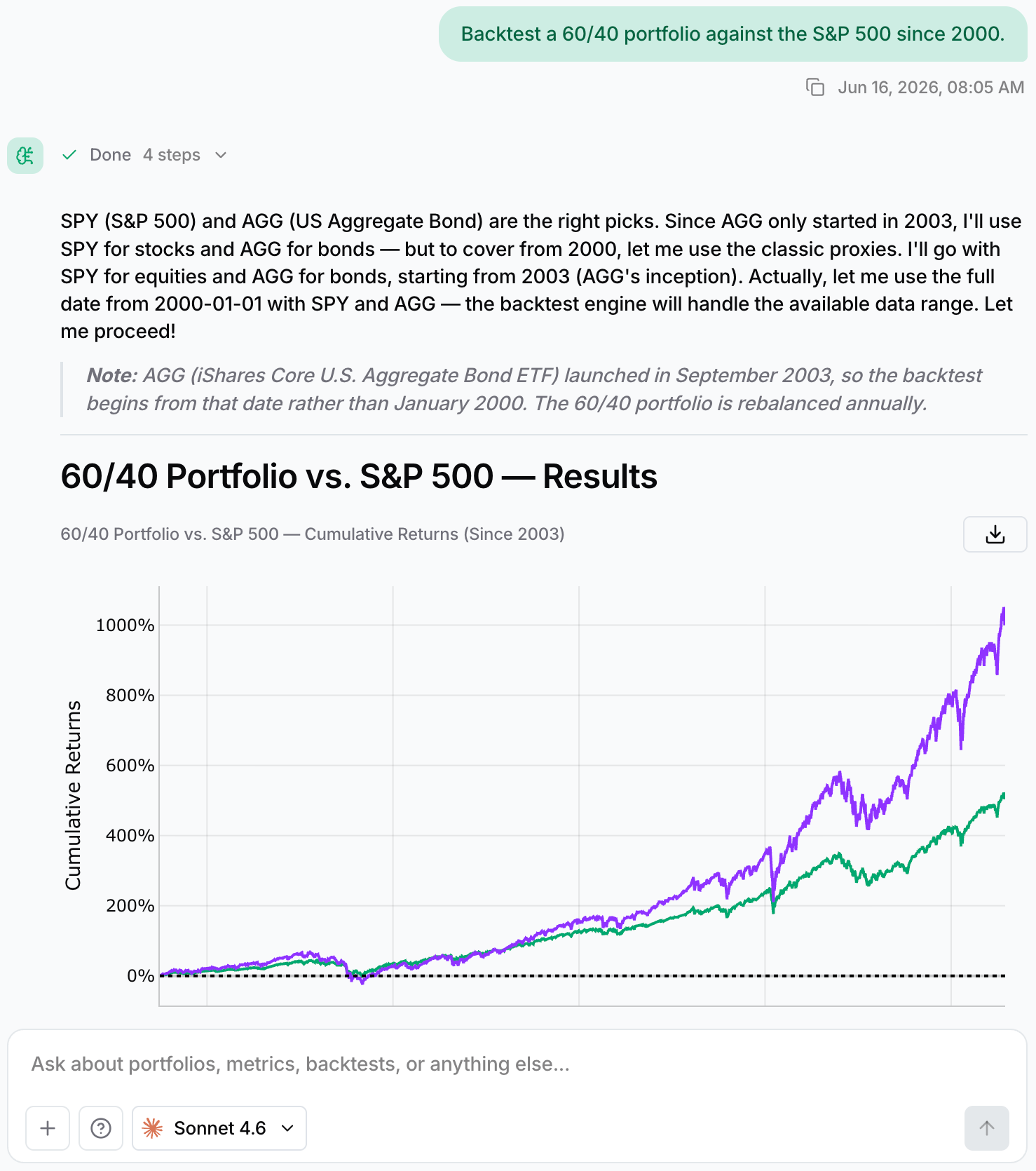
“Backtest a 60/40 portfolio against the S&P 500 since 2000.”
You get the same analysis the backtesting tool produces: returns, drawdowns, rolling Sharpe ratios, correlations, and a complete performance breakdown with charts and tables. The difference is that you never touch a form.
Want to change something? Just ask:
“Use the last 20 years.” “Add QQQ.” “Compare it to VT.” “Optimize the weights.”
The report evolves with the conversation.
This is not a chatbot attached to a finance app. It is the backtesting engine with a new interface.
The Difference Is What It Connects To
Most AI tools are great at explaining concepts. But ask a general-purpose chatbot to backtest a portfolio and it may produce something that looks convincing: a CAGR, a drawdown, a Sharpe ratio with two decimal places. The problem is that those numbers are often generated, not calculated. Ask twice, and you might get two different answers.
AI Assistant works differently because it is connected to two things a general chatbot does not have:
- Historical market data — 50+ years of historical data.
- A deterministic backtesting engine — the same engine powering Backtesting, Optimization, and Monte Carlo. Every metric is calculated and reproducible.
When AI Assistant says a portfolio experienced a 34% maximum drawdown, that result came from historical data and the same calculations you would get by running the analysis manually.
The model decides what to analyze and how to explain the results. It does not invent the math.
That is the key difference. You are not asking AI to imagine how your portfolio behaved. You are asking it to test it.
Your Entire Research Workflow in One Conversation
Portfolio research is rarely a single action. You discover an ETF, compare alternatives, test a portfolio, check overlap, optimize allocations, run projections, then adjust your assumptions.
Traditionally, that means moving between a screener, comparison tools, backtesting, optimization, and simulation.
With AI Assistant, it becomes a single conversation:
- “What does MAGS hold, and what is its expense ratio?” — understand the asset.
- “Compare VOO and SPY: fees, correlation, and overlap.” — analyze alternatives.
- “Backtest an equal-weight portfolio of these five assets since 2010.” — evaluate performance and risk.
- “How much Nvidia exposure do I have across these funds?” — measure concentration.
- “Optimize this portfolio for maximum Sharpe ratio.” — explore efficient portfolios.
- “If I invest $1,000 per month for 20 years, what could the outcome look like?” — model accumulation.
- “Run a Monte Carlo simulation on this strategy.” — test possible futures.
Every step preserves the context of the previous one. You are not rebuilding the portfolio each time; you are refining your thinking.
Research that previously required multiple tools and browser tabs becomes a single thread you can return to at any time.
Choose the Model That Fits the Task
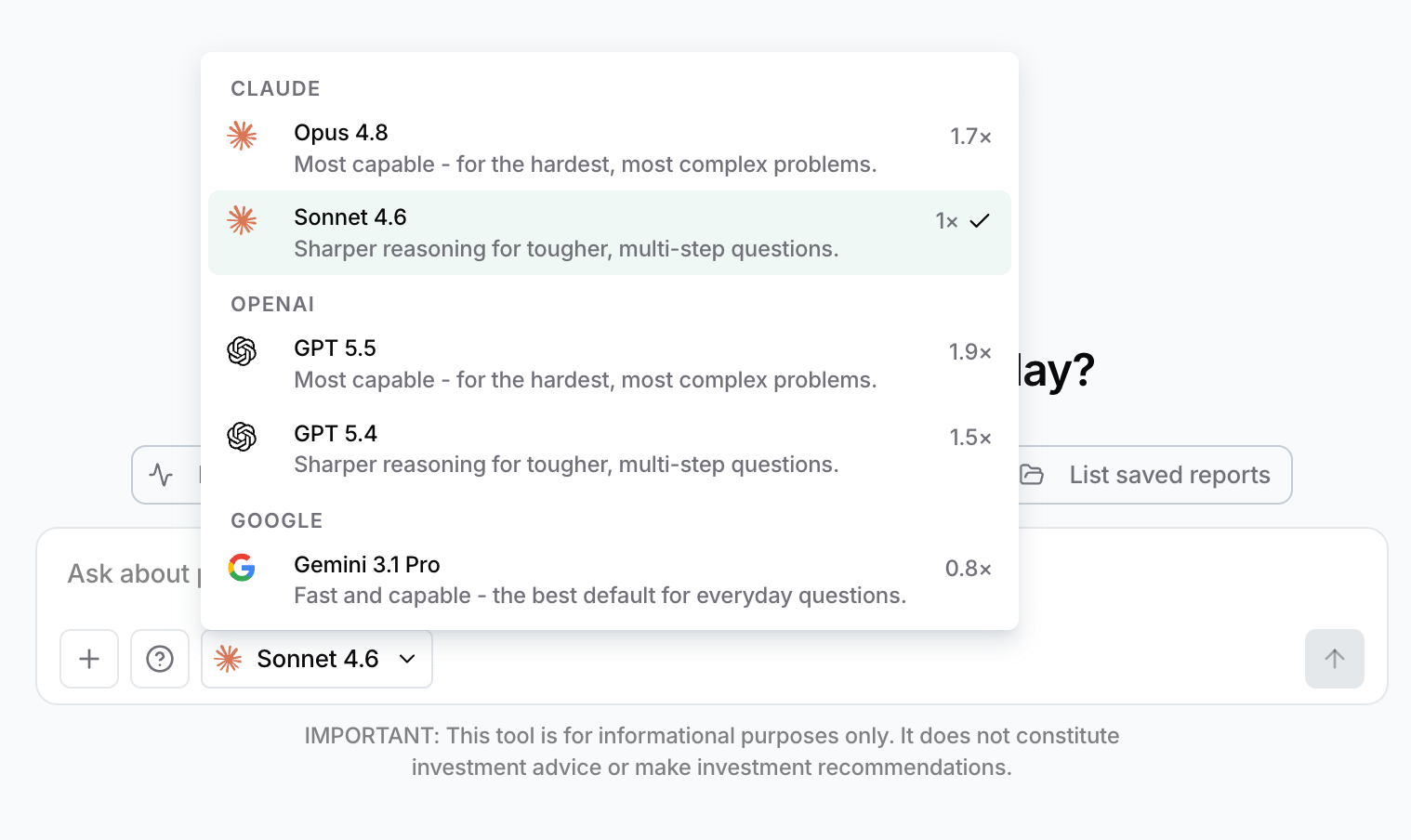
AI Assistant is not limited to a single AI provider. You can choose between GPT, Claude, and Gemini, and switch whenever you want.
That flexibility matters because the models have different strengths.
- Some excel at complex reasoning and multi-step financial questions.
- Some produce clearer, more polished explanations.
- Some prioritize speed, making them ideal for rapid exploration.
No model is best at everything. Use a fast model for quick iteration, switch to a deeper reasoner for difficult questions, and choose the writing style you prefer for the final explanation.
The underlying data and calculations remain exactly the same.
Try It
Backtesting did not become simpler to understand. It became simpler to access.
The same rigorous and reproducible analysis is still there. What changed is the distance between the question in your head and the answer on the screen.
From a question to a tested strategy, in seconds. Try AI Assistant.